Once you have signed up for GiveCentral, please cancel your WeShare recurring gifts to avoid duplicate donations.
Below is a simple step-by-step guide to help you stop your WeShare recurring gifts.
Step One
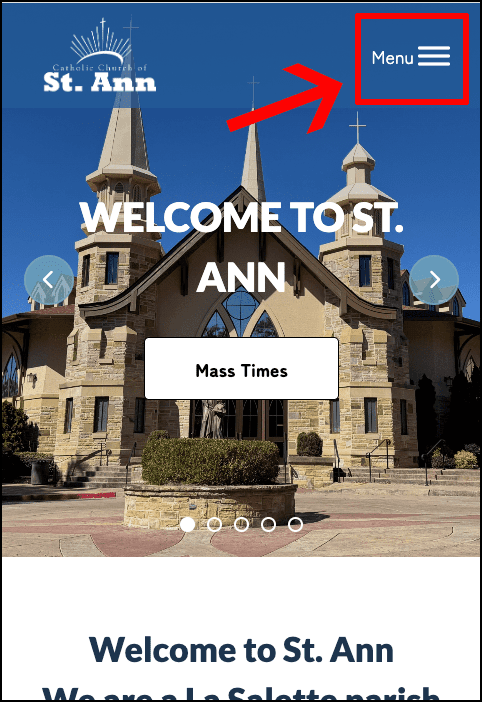
Go to www.st-ann.org homepage and click on the Menu in the top right corner.
Step 2
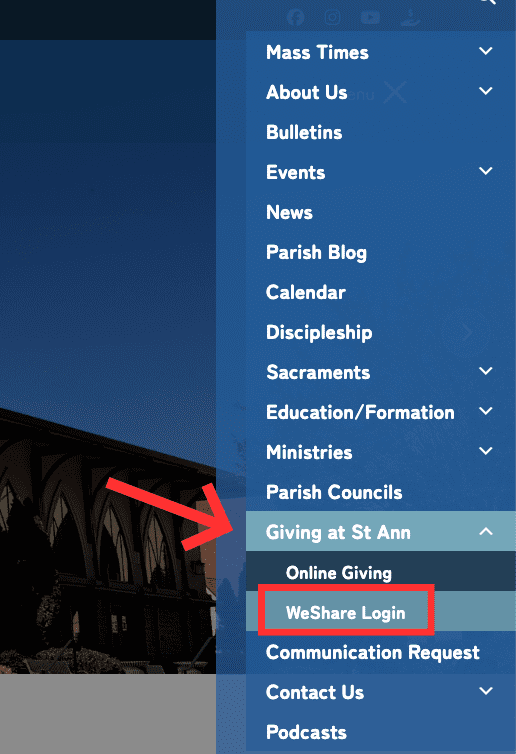
Scroll down the menu until you see Giving at St Ann/WeShare Login, then select it.
Step 3
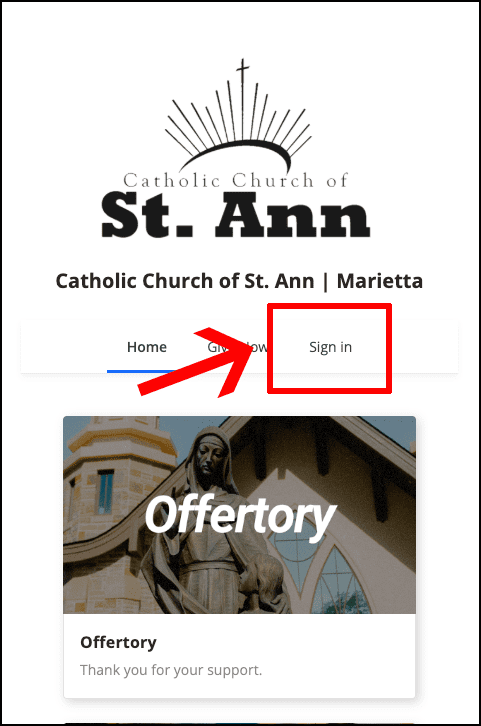
You are now on the St. Ann Online Giving page in WeShare. Select “Sign In” to access your account.
Step 4
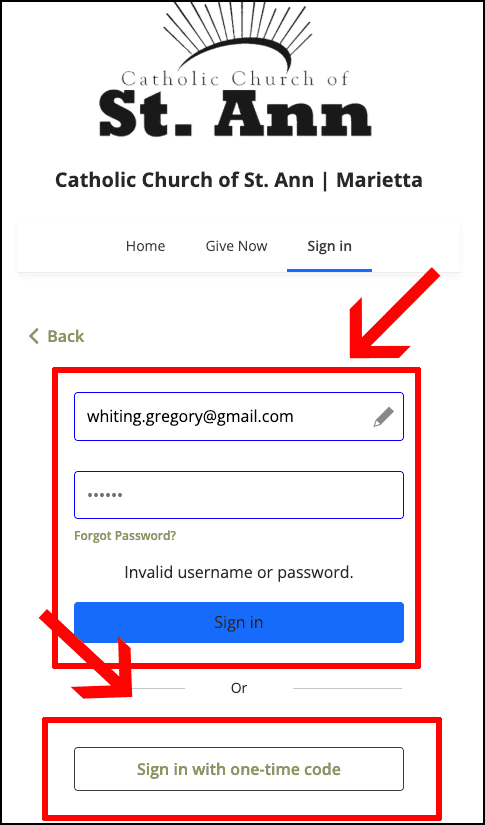
To sign in, enter your email address and password if you know it.
If you do not know your password, enter your email address and select “Sign In with One-Time Code.”
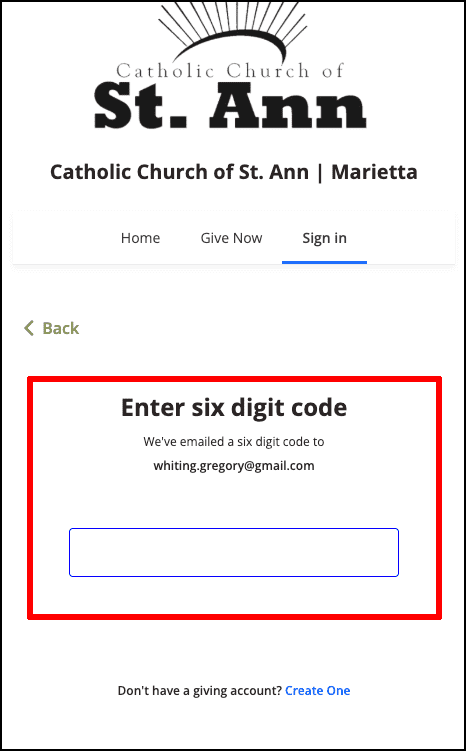
A six-digit security code will be sent to your email.
Check your email, retrieve the code, and enter it to sign in.
Step 5
Check your email, retrieve the six digit code, and enter it to sign in.
Step 6
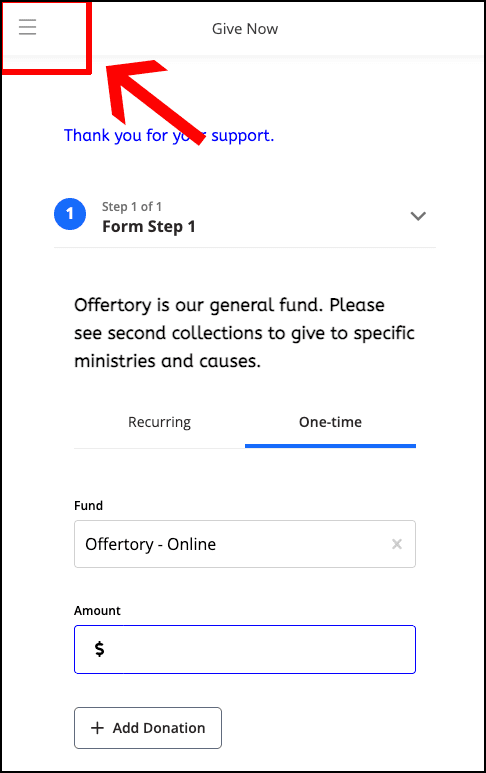
You are now logged into your WeShare account.
To stop any recurring donations, select the menu icon in the upper-right corner of the page.
Step 7
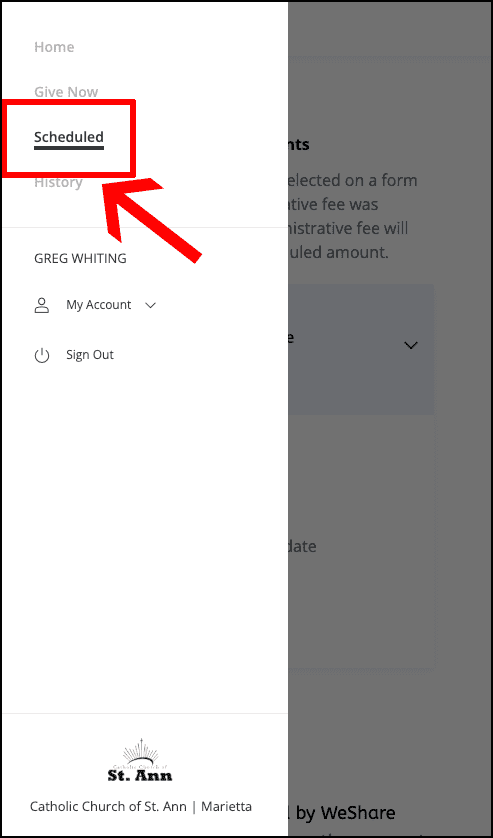
When the menu opens, select “Scheduled.”
Step 8
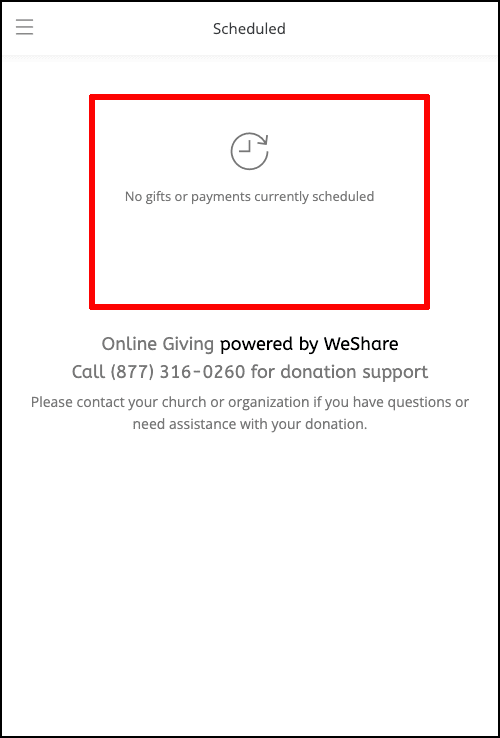
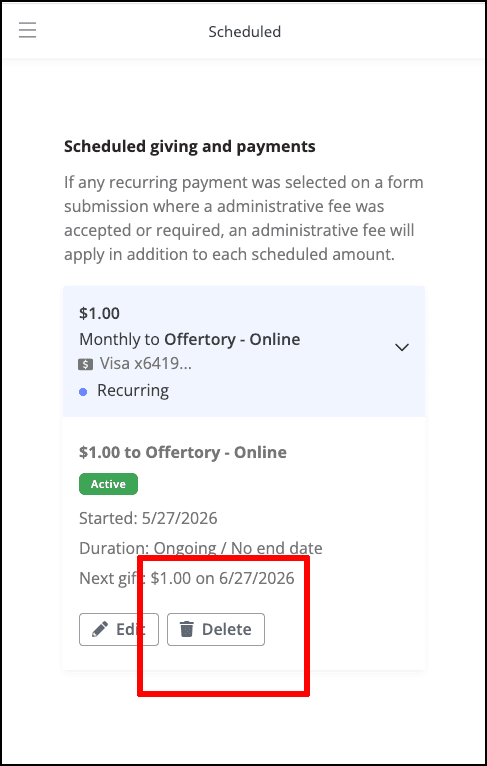
You are now on the page showing all your scheduled gifts and payments.
Select the “Delete” button next to any recurring payment you would like to cancel.
Step 9
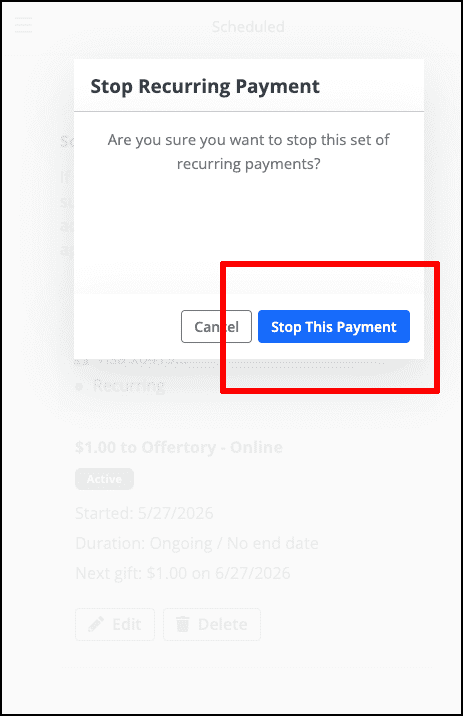
A confirmation message will appear to verify that you want to cancel this recurring payment.
Select “Stop This Payment” to complete the cancellation.
Step 10
Final Confirmation page.
You are finished.